Miss Beautiful: A Designer’s Real-World Review
First Glance: Elegant, Intentional, Unhurried
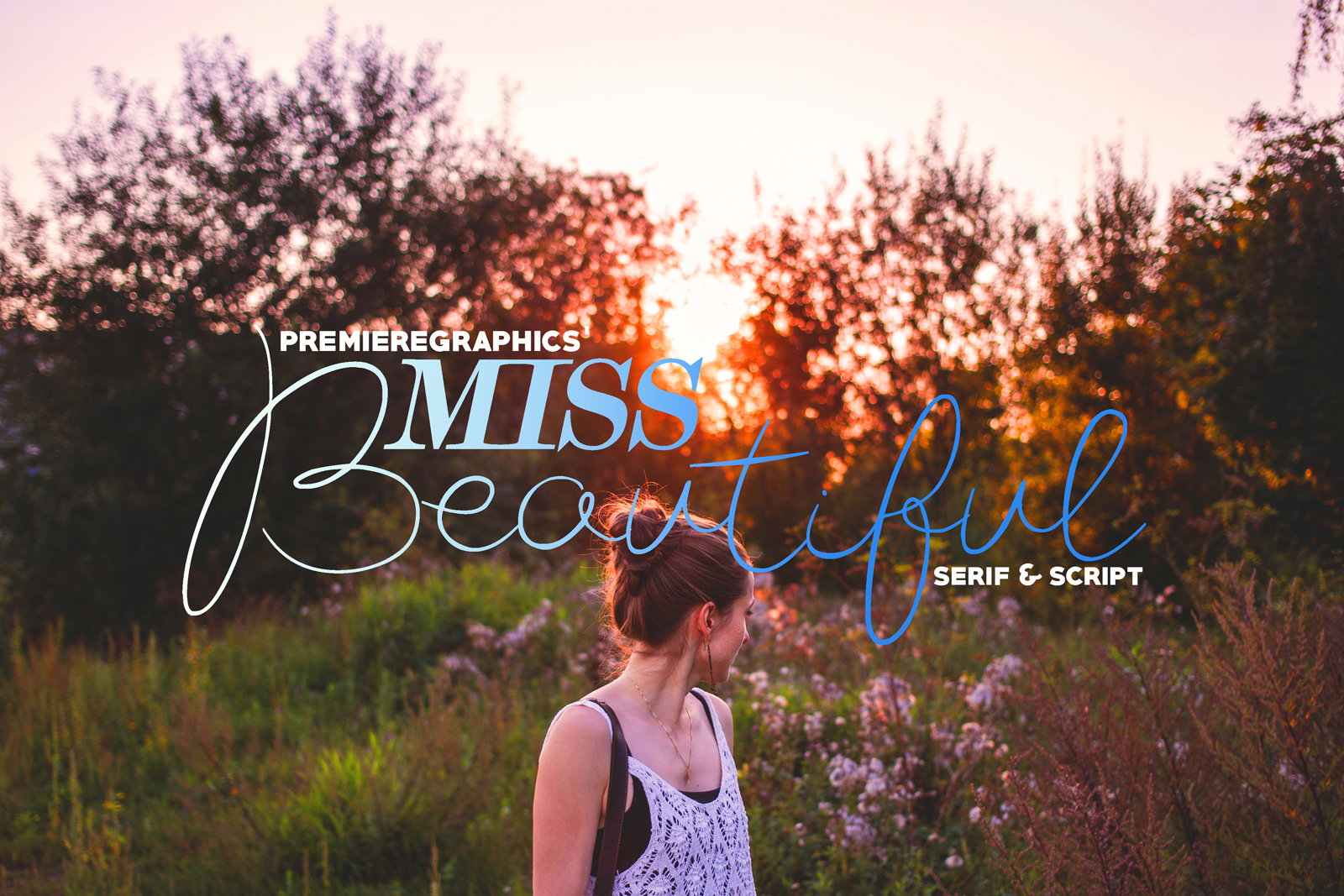
Opening Miss Beautiful feels like unrolling a hand-tied ribbon—there’s weight, rhythm, and quiet confidence in every glyph. This isn’t a frantic script or a bubbly handwritten font. It’s a premium font with deliberate contrast, soft but structured terminals, and a subtle calligraphic pulse that never veers into cliché. The lowercase ‘a’, ‘g’, and ‘y’ carry gentle flourishes—not for show, but to anchor the flow. Uppercase letters have presence without shouting; they’re refined, not ornate. Miss Beautiful reads as warm authority: think boutique skincare branding, artisanal stationery, or a slow-living blog—not fast-fashion banners or tech startups.
Where It Lives Best (and Where It Doesn’t)
Miss Beautiful thrives in contexts where emotional resonance matters more than speed of reading. In logo design, it works brilliantly for monograms, wordmarks under 3–4 words, or as a secondary brand mark beside a clean sans serif. I’ve used it successfully on apothecary labels, wedding invitations, and ceramic packaging—each time, it elevated perceived value without feeling dated or overly bridal.
It shines in editorial design for pull quotes, chapter headings, or masthead accents—especially in print. On social media graphics, it commands attention in Instagram story headers or Pinterest pins when set large and centered. As a display font, it holds its own in website hero sections—but only at 48px and up. Below 32px, even in bold weight, legibility frays: the delicate joins between letters start to blur, especially on lower-resolution screens.
It’s not built for body text, navigation menus, or data-heavy dashboards. Don’t force it into product descriptions, legal disclaimers, or multi-line email subject lines. Miss Beautiful is a soloist—not the choir.
Real Project Performance, Tested
- Logo design: Paired with a neutral sans serif (like Inter or Poppins), Miss Beautiful creates instant hierarchy and tonal clarity. Works best when the script carries the brand name and the sans handles descriptors (“Est. 2019”, “Hand-Poured”, “Since 1987”).
- Packaging design: Printed on matte kraft or soft-touch laminate, the font’s texture translates beautifully—no digital gloss needed. Avoid glossy finishes unless you’re intentionally amplifying contrast.
- Social media graphics: Performs strongest on static posts (not carousels with dense text). Use it for one-line hooks: “Slow down.” “Made with care.” “You deserve this.” Not for captions or CTAs.
- Printable design & digital product: Excellent for Canva templates targeting wellness coaches or wedding planners. Also ideal for Cricut projects—cut files render cleanly at 2”+ height. Just confirm the license covers commercial use before bundling into your shop.
- Web design: Embed via variable font if available—or serve as a self-hosted WOFF2. Never rely solely on Google Fonts; Miss Beautiful isn’t there. Test load times: its elegance shouldn’t cost users patience.
What It Does to Your Brand Identity
Miss Beautiful doesn’t just look pretty—it shapes perception. Used thoughtfully, it signals craftsmanship, intentionality, and calm confidence. That directly affects audience trust: people associate visual restraint with authenticity. But overuse dilutes impact. I’ve seen clients lose recognition by applying Miss Beautiful to every subheading, button, and footer line—suddenly, nothing feels special. Consistency matters, yes—but so does strategic emphasis.
Readability suffers if paired poorly. Next to another script font? Visual noise. Beside a heavy serif? Clashes in rhythm. But next to a light, airy sans serif or a crisp, low-contrast serif (think Lora or Cormorant Garamond), Miss Beautiful gains dimension—not competition. Its strength lies in contrast, not conformity.
Designer Notes You’ll Actually Use
- Always test in black and white first. Miss Beautiful relies on shape and spacing—not color—to communicate tone. If it reads weak in grayscale, it’ll read weaker in context.
- Check small-size readability early. Set your tagline at 18px on a mockup background (not white). If the ‘e’ and ‘c’ merge or the ‘r’ disappears, scale up or switch weights.
- Try real mockups—not just type specimens. Drop it onto a coffee bag mockup, a Shopify product page screenshot, or an Instagram feed layout. Context changes everything.
- Compare uppercase vs. lowercase usage. The caps have stronger personality but less flow. For brand marks, I default to title case unless the client’s voice is explicitly formal.
- Review spacing—kerning especially. Some letter pairs (‘To’, ‘We’, ‘Fr’) need manual adjustment in design apps. Don’t assume auto-kerning is enough.
- Test font pairing across categories: beside a serif font (for balance), a sans serif font (for contrast), another script font (to avoid redundancy), a handwritten font (to spot tonal mismatch), and a display font (to gauge visual dominance).
- Confirm commercial licensing—twice. Script Amp offers clear licensing tiers, but verify whether your use case (e.g., selling editable Canva templates or white-labeling for clients) requires the extended license. Never assume “personal use” covers freelance work.
A Final Word on Mood and Restraint
Miss Beautiful doesn’t beg for attention—it earns it. That’s rare in today’s saturated design landscape. It supports storytelling instead of hijacking it. When used with restraint—as a highlight, not a baseline—it deepens brand identity rather than decorating it. It’s not versatile in the way a neutral sans serif is. But versatility isn’t always the goal. Sometimes, what you need is a single, resonant note—clear, confident, and quietly unforgettable. That’s Miss Beautiful.