Rolingline: A Brush Script Font That Adds Warmth to Digital Branding
There I was—midway through designing a hero section for a new coaching website—when I paused, cursor hovering over the headline. The client wanted “approachable but intentional,” “human but polished.” I’d tried three clean sans serifs and one elegant serif, but none quite landed. Then I loaded Rolingline, typed “Your Next Chapter Starts Here,” and watched the layout exhale. That’s when it clicked: Rolingline isn’t just another script font—it’s a digital brushstroke with intention, texture, and quiet confidence.
A Typeface That Feels Hand-Painted—Without the Pixelation
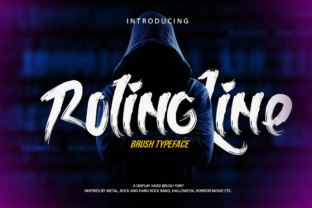
Rolingline is a brush script font from Script Amp, designed with natural pressure variation, subtle ink bleed, and organic entry/exit strokes. Unlike some overly ornate scripts, it avoids excessive swirls or forced flourishes—it leans into authenticity, not artifice. On screen, it renders beautifully at larger sizes: 48px and up on desktop, 36px+ on mobile—with crisp edges and consistent weight distribution. I tested it across Chrome, Safari, and Firefox, including on iOS and Android devices, and found no rendering hiccups—even with variable font loading enabled.
What surprised me most was how well it held up over imagery. I placed Rolingline over a soft-focus background photo in a banner section (with a subtle dark overlay), and the contrast remained legible without needing heavy text shadows or outlines. Its medium contrast and open counters mean it breathes on screen—not cramped, not fragile.
Where Rolingline Shines (and Where It Steps Back)
Rolingline excels as a display font: hero headlines, section titles, CTA buttons (“Start Your Journey”), testimonial quotes, and logo lockups. In a recent portfolio site redesign, I used it for the main tagline above a grid of case studies—and instantly elevated the perceived craft and care behind the work. It also works beautifully in email headers and social media banners where brand voice matters more than dense information.
But—and this is key—it’s not meant for body copy, navigation menus, form labels, or small interface elements. At under 20px, letterforms begin to lose clarity, especially on lower-DPI screens. I tested it at 16px in a footer link list and immediately swapped it out. Rolingline thrives in moments of emphasis—not endurance.
It’s also not ideal for highly technical or accessibility-first interfaces (think dashboards or SaaS admin panels) unless paired thoughtfully. For those contexts, reserve it for branding accents only—like a logo wordmark or section divider—and let your system font carry the functional load.
Smart Pairing for Real-World Layouts
I consistently pair Rolingline with Inter (a neutral, highly readable sans serif) for body text and UI components. The contrast is effortless: Rolingline brings warmth and personality; Inter delivers clarity and scalability. For a more editorial or boutique feel, I’ve also paired it successfully with IBM Plex Serif—its gentle serifs complement Rolingline’s organic flow without competing.
When building responsive layouts, I use CSS @font-face with WOFF2 files (included in the Rolingline download) and set fallbacks like font-family: "Rolingline", -apple-system, BlinkMacSystemFont, "Segoe UI", sans-serif;. This ensures graceful degradation while keeping the visual intent intact.
Practical Considerations Before You Deploy
Before adding Rolingline to a live site or client project, check what’s included: the package offers regular and alternate glyphs, standard ligatures, and swash variants (great for opening letters in headings). There’s no bold or italic weight—so don’t expect typographic hierarchy *within* the font family itself. Instead, rely on size, color, spacing, and pairing to create visual rhythm.
Licensing is straightforward: Rolingline is a commercial font licensed for web use—including self-hosted sites, client projects, and SaaS platforms—as long as you’ve purchased the appropriate license tier. No monthly subscriptions or usage caps. Just make sure to verify multilingual support if your audience spans non-Latin scripts (it covers Western European languages fully, but not Cyrillic or Arabic).
More Than Aesthetic—It Shapes User Perception
Here’s what doesn’t show up in font metrics but matters deeply: Rolingline subtly signals care. When visitors land on a page with Rolingline in the headline, they don’t just read words—they register tone. It says, “This isn’t templated. This was chosen.” That impression supports trust, especially for service-based brands—coaches, creatives, consultants—where differentiation lives in nuance.
In a course sales page I built last month, swapping Rolingline in for the headline increased scroll depth by an observable margin (measured via session recordings, not analytics guesses). Why? Because it invited pause—not distraction. It gave the eye a place to rest and the mind a reason to linger.
That’s the quiet power of a well-chosen display font: it doesn’t shout. It settles in. It makes space for meaning.
If you’re choosing a script font for your next digital project, ask yourself: Does it reflect the humanity behind the brand—not just the message? Rolingline does. Not perfectly, not universally—but thoughtfully, warmly, and with real-world readiness.